Features of Device Info:
- Comprehensive Device Information:
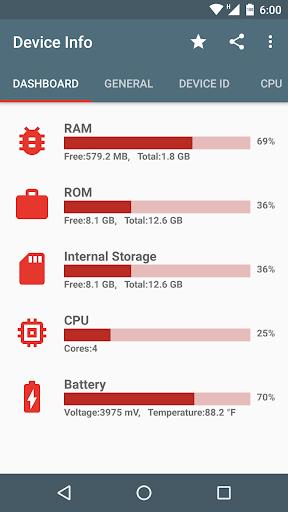
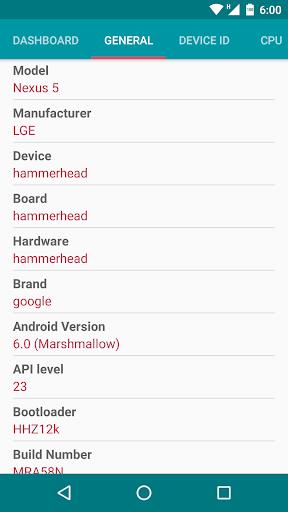
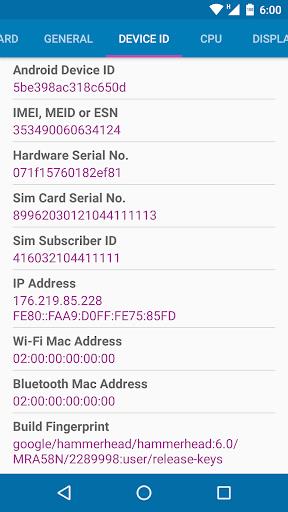
Device Info offers a detailed look at your Android device's hardware, software, and system information all in one convenient app. From phone specs to storage analysis, it covers everything you need to know about your device.
- User-Friendly Interface:
With Device Info, accessing and understanding your device information is a breeze. The app automatically analyzes your device upon opening, making it easy for users to quickly check their smartphone health and performance.
- Real-Time Data Monitoring:
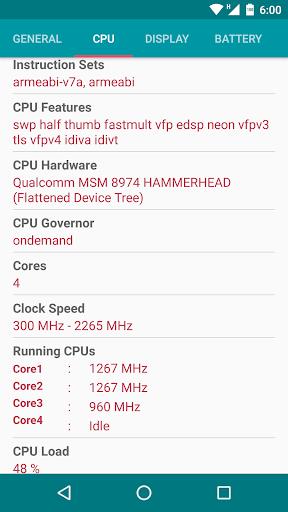
Stay on top of your device's performance with Device Info's real-time data monitoring feature. Monitor FPS, battery status, CPU & GPU performance, and more to ensure your device is running smoothly.
- App Management:
In addition to providing device information, Device Info also allows users to manage their apps efficiently. Export app icons, APKs, share apps, and uninstall unwanted applications with just a few taps.
Playing Tips of Device Info:
- Explore Different Sections:
Take the time to explore the various sections within Device Info, such as Device, System, Hardware, Benchmark, and more. Each section provides valuable information about your device that can help you troubleshoot issues or optimize performance.
- Use Storage Analysis:
Make use of the storage analysis feature to find redundant, duplicate, and large files taking up space on your device. Clearing out unnecessary files can help improve your device's performance and free up storage space.
- Run Device Tests:
Try out the device test benchmark and hardware tests to evaluate your device's screen, buttons, sensors, and overall performance. Running these tests can help identify any potential hardware issues that need attention.
Conclusion:
Device Info is a must-have tool for Android users who want to stay informed about their device's health and performance. With its comprehensive features, user-friendly interface, and real-time data monitoring, it provides valuable insights that can help optimize your device's functionality. Whether you need to check phone specs, manage apps, or run diagnostics, Device Info has you covered. Download Device Info today and take control of your Android device like never before.